
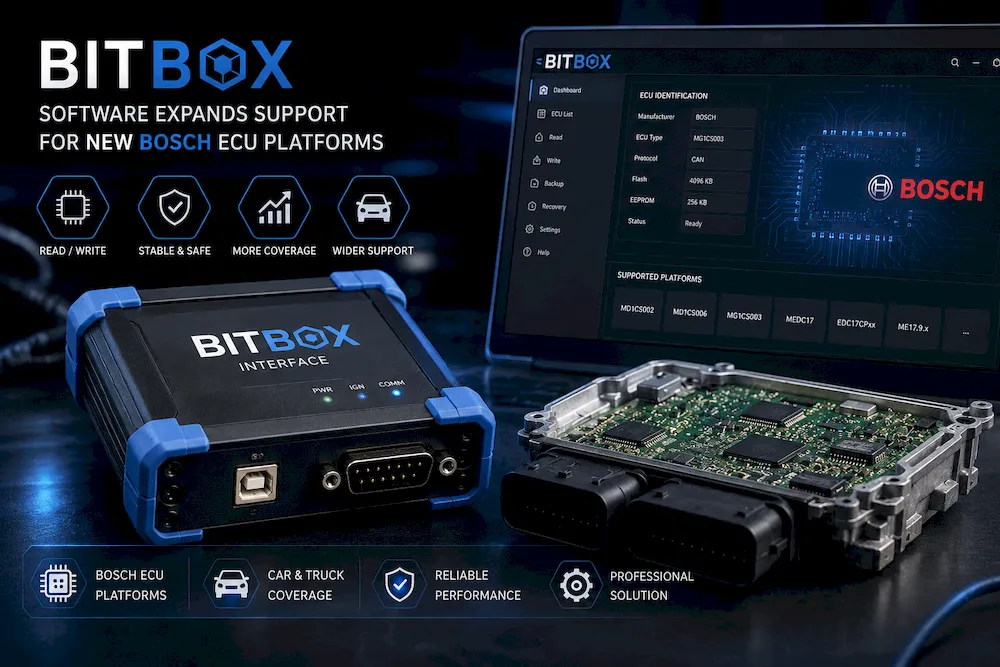
BitBox Software Expands Support for New Bosch ECU Platforms
DJ Autotech is pleased to announce that BitBox software has expanded its support for additional Bosch ECU platforms. This update gives automotive technicians, ECU programmers, and tuning specialists more options when working with modern vehicle control units.
BitBox is a professional ECU programming solution used for reading and writing data from supported engine control units. With wider Bosch ECU support, workshops can handle more vehicle models and complete more programming and repair tasks with one software system.
Support for More Bosch ECU Systems
Bosch control units are widely used in passenger cars, commercial vehicles, and other automotive applications. Different vehicles may use different ECU families, processors, communication protocols, and software structures.
The expanded BitBox support allows users to work with more Bosch ECU platforms through compatible software modules and interfaces. This can help workshops increase their service range and support more customers.
Different ECU Programming Methods
Depending on the ECU type and BitBox module, technicians may be able to connect to the control unit in several ways. Some operations can be completed through the vehicle’s diagnostic port, while others require the ECU to be removed from the vehicle.
Supported working methods may include:
- OBD reading and writing
- Bench mode programming
- Boot mode operations
- ECU identification
- Calibration data reading
- Software data writing
- ECU backup and recovery
The exact functions depend on the selected module, ECU model, processor, and vehicle. Customers should check the official support list before purchasing or using the software.
Useful for ECU Repair and Tuning
ECU programming is often required when repairing, replacing, updating, or tuning a vehicle control unit. A suitable programming tool helps technicians access important ECU data safely and efficiently.
The wider Bosch platform support can be useful for ECU repair centers, tuning workshops, automotive electronics specialists, and professional mechanics. It allows them to work with more control units without changing to a completely different software system.
A Flexible Module-Based System
BitBox uses a module-based structure. Users can choose software modules according to the control units and vehicle types they work with.
This gives workshops more flexibility. They can start with the modules needed for their current work and add more modules when their business grows or when new customer needs appear.
Important Steps Before Programming
ECU programming requires care and technical knowledge. Before reading or writing an ECU, technicians should confirm the control unit model, connection method, pinout, and software module.
A stable power supply should be used during programming. Where possible, users should also create a complete backup before writing new data.
Incorrect connections, low voltage, incompatible files, or interrupted programming may damage the ECU. All operations should be completed by trained professionals following the correct technical instructions.
Check Compatibility Before Ordering
Customers should prepare the following information before choosing a BitBox module:
- Vehicle brand and model
- Vehicle production year
- Engine type
- Bosch ECU model
- ECU part number
- Required programming function
The DJ Autotech team can use this information to help customers find a more suitable software module, interface, cable, or adapter.
Explore BitBox Solutions at DJ Autotech
DJ Autotech continues to expand its range of professional ECU programming software, hardware interfaces, cables, and accessories. The latest BitBox support for more Bosch ECU platforms gives automotive professionals additional options for daily programming, repair, and tuning work.
Explore the available BitBox solutions at DJ Autotech and choose the right tools for your automotive service business.




Add comment